Access Control
Assimilate uses a role-based access-control model with roles, groups, and per-repository permissions. This page explains how they interact and when to use each.
Overview
| Concept | Purpose | Scope |
|---|---|---|
| Role | Defines what actions a user can perform | System-wide capabilities |
| Group | Organizes users for shared repository access | Per-repository permissions |
| Per-repo permission | Grants specific operations on a single repository | Individual repository |
graph TD
    U[User] -->|assigned| R[Role]
    U -->|member of| G[Group]
    R -->|grants| C[System capabilities]
    G -->|grants| P[Per-repo permissions]
U -->|direct grant| PRoles
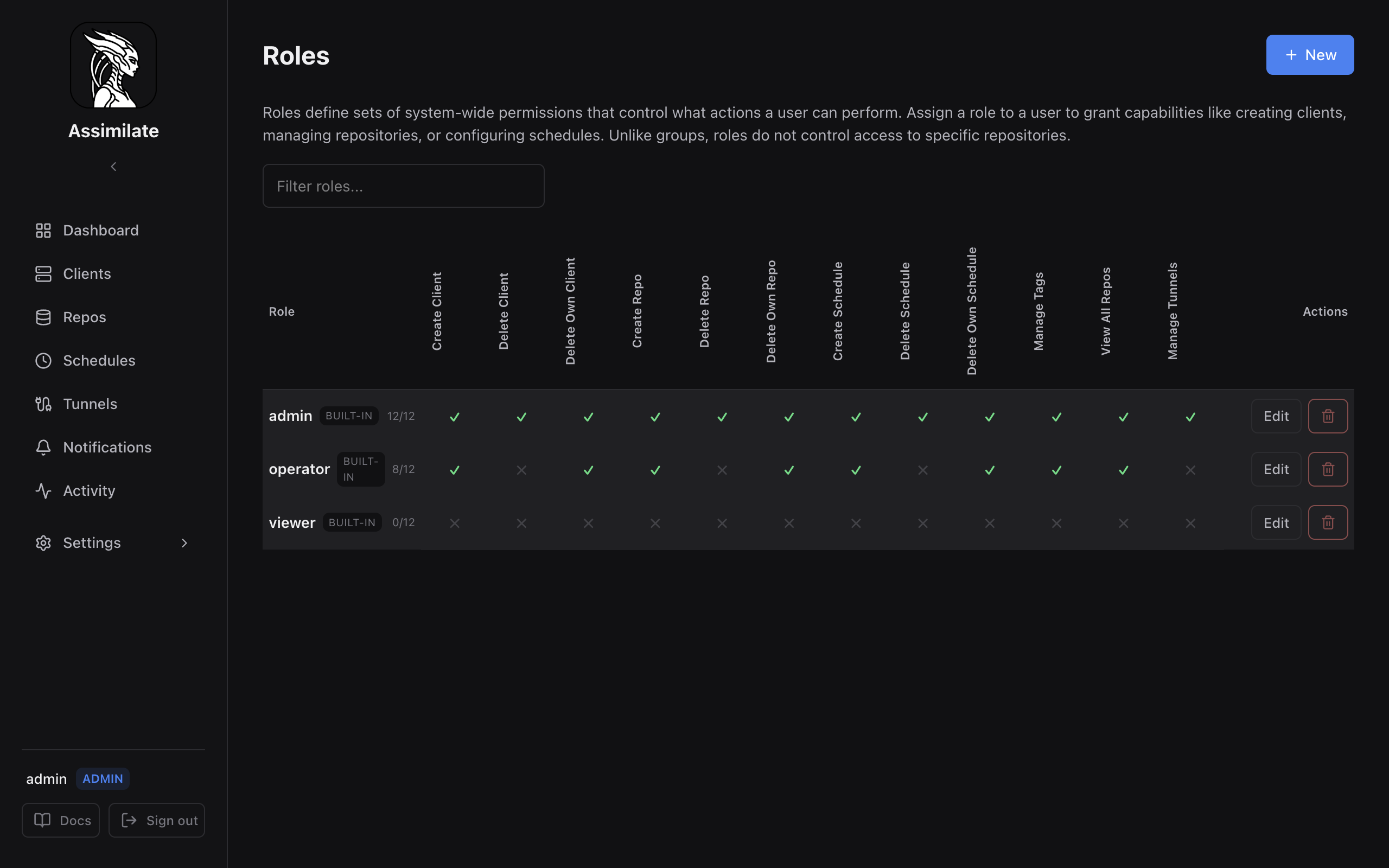
Users are assigned one or more roles via the Roles tab in the user editor. Each role bundles a set of system-wide capabilities. A user's effective permissions are the union of all capabilities across every role they hold.
Built-in roles cannot be deleted:
| Role | Description |
|---|---|
| admin | Full access to everything. The can_delete_repo permission serves as the admin bypass — all permission checks pass for users with this capability. |
| operator | Can create and manage agents, repos, and schedules but cannot manage users or system settings. |
| viewer | Read-only access. Cannot create or modify resources. |
Custom Roles
Admins can create custom roles with any combination of these capabilities:
| Capability | Effect |
|---|---|
| Create Agent | Create new backup agents |
| Delete Agent | Delete any agent |
| Delete Own Agent | Delete only agents the user created |
| Create Repo | Register new borg repositories |
| Delete Repo | Delete any repository |
| Delete Own Repo | Delete only repositories the user created |
| Create Schedule | Create backup schedules |
| Delete Schedule | Delete any schedule |
| Delete Own Schedule | Delete only schedules the user created |
| Manage Tags | Create and assign tags |
| View All Repos | See all repositories regardless of per-repo permissions |
| Manage Tunnels | Configure SSH reverse tunnels |
| Upgrade Agent | Deploy, upgrade and redeploy the agent binary on remote hosts via SSH |
Admin Bypass
A user with a role that grants can_delete_repo bypasses all permission checks — they can view, modify, and delete any resource in the system. The admin built-in role includes this capability. Custom roles can also grant it.
When to Use Roles
Use roles when you need to control what kind of actions a user can perform across the system:
- A new team member who should only monitor backups → assign the viewer role.
- A DevOps engineer who manages infrastructure but should not administer users → assign the operator role or a custom role with appropriate capabilities.
- A service account that only triggers backups → create a minimal custom role with no create/delete capabilities and use an API token.
- An external auditor who needs read-only access → viewer role.
Roles do not control which specific repositories a user can see or interact with — that is the job of groups and per-repo permissions.
Groups
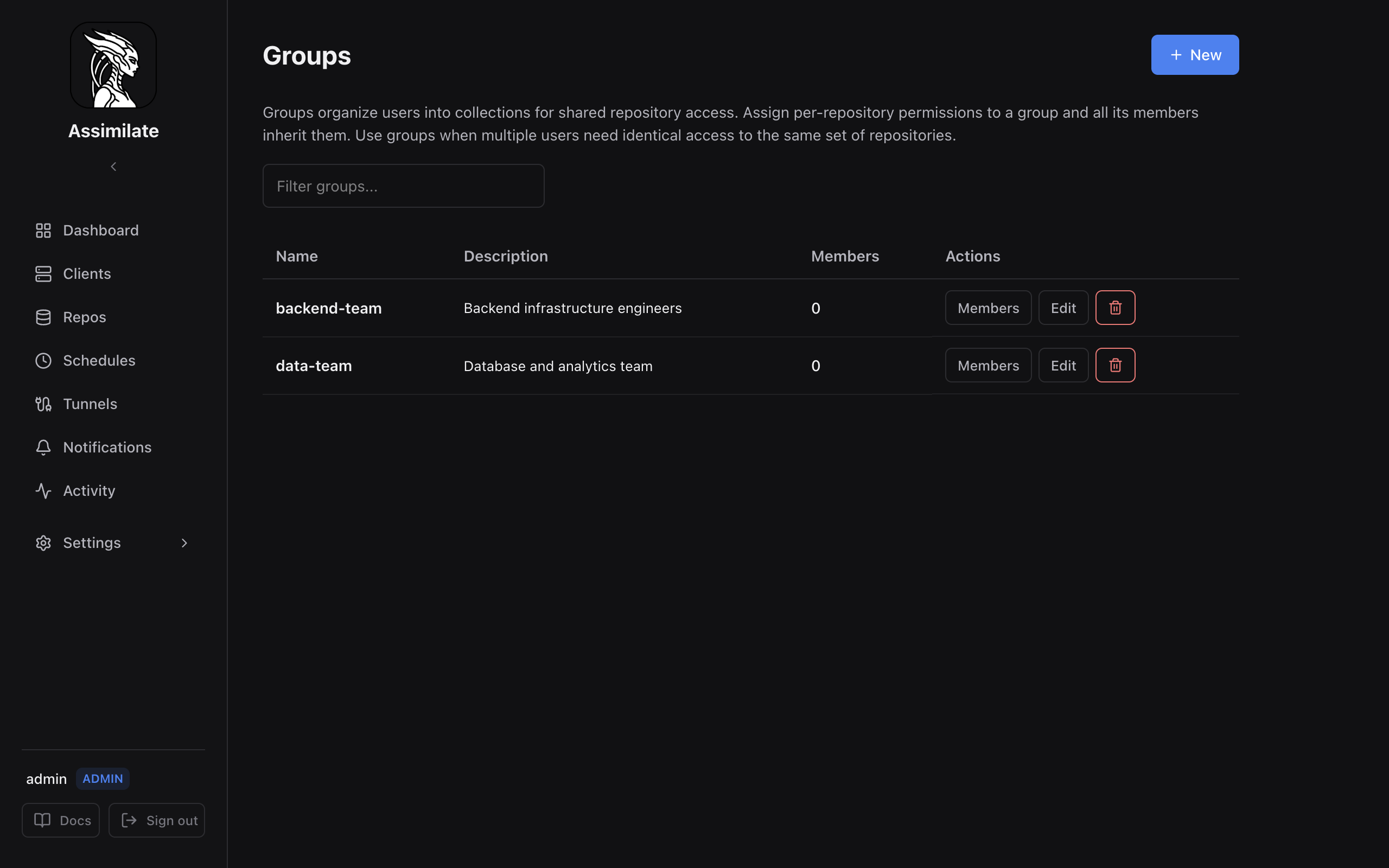
A group is a collection of users that share the same per-repository permissions. When you grant a group access to a repository, every member of the group gains that access.
Groups do not grant system capabilities — they only control which repositories their members can access and what operations they can perform on those repositories.
Per-Repository Permissions
The following permissions can be granted to a group (or directly to a user) for each repository:
| Permission | Effect |
|---|---|
can_view |
See the repository and its archives |
can_backup |
Trigger a backup run |
can_modify_schedules |
Create and edit backup schedules for this repository |
can_extract |
Browse and extract archive contents |
can_delete |
Delete archives from this repository |
When to Use Groups
Use groups when you need to control which repositories a set of users can access:
- A "backend-team" group that can view and backup the production database repositories.
- A "developers" group that has full access to development environment repositories but read-only access to production.
- An "auditors" group that can view all repositories but cannot modify or delete anything.
Permission Resolution
When evaluating whether a user can perform an action on a repository:
- Admin bypass — if the user has
can_delete_repoin any of their roles, the action is always allowed. - Direct user grant — if the user has been granted the permission directly on the repository, it is allowed.
- Group membership — if any group the user belongs to has been granted the permission on the repository, it is allowed.
- Deny by default — if none of the above apply, the action is denied.
Roles vs Groups — Decision Guide
| Question | Answer |
|---|---|
| "Should this user be able to create new agents?" | Role — this is a system capability |
| "Should this user see repository X?" | Group (or direct grant) — this is per-repo access |
| "Should this team share the same repo access?" | Group — add all team members to one group |
| "Should this user be able to delete schedules?" | Role — this is a system capability |
| "Should this user trigger backups on repo Y?" | Group (or direct grant) — per-repo can_backup |
Rule of thumb
Roles answer "what can they do?" — Groups answer "where can they do it?"
Managing Access in the UI
All access-control settings are under Settings → Access Control in the sidebar:
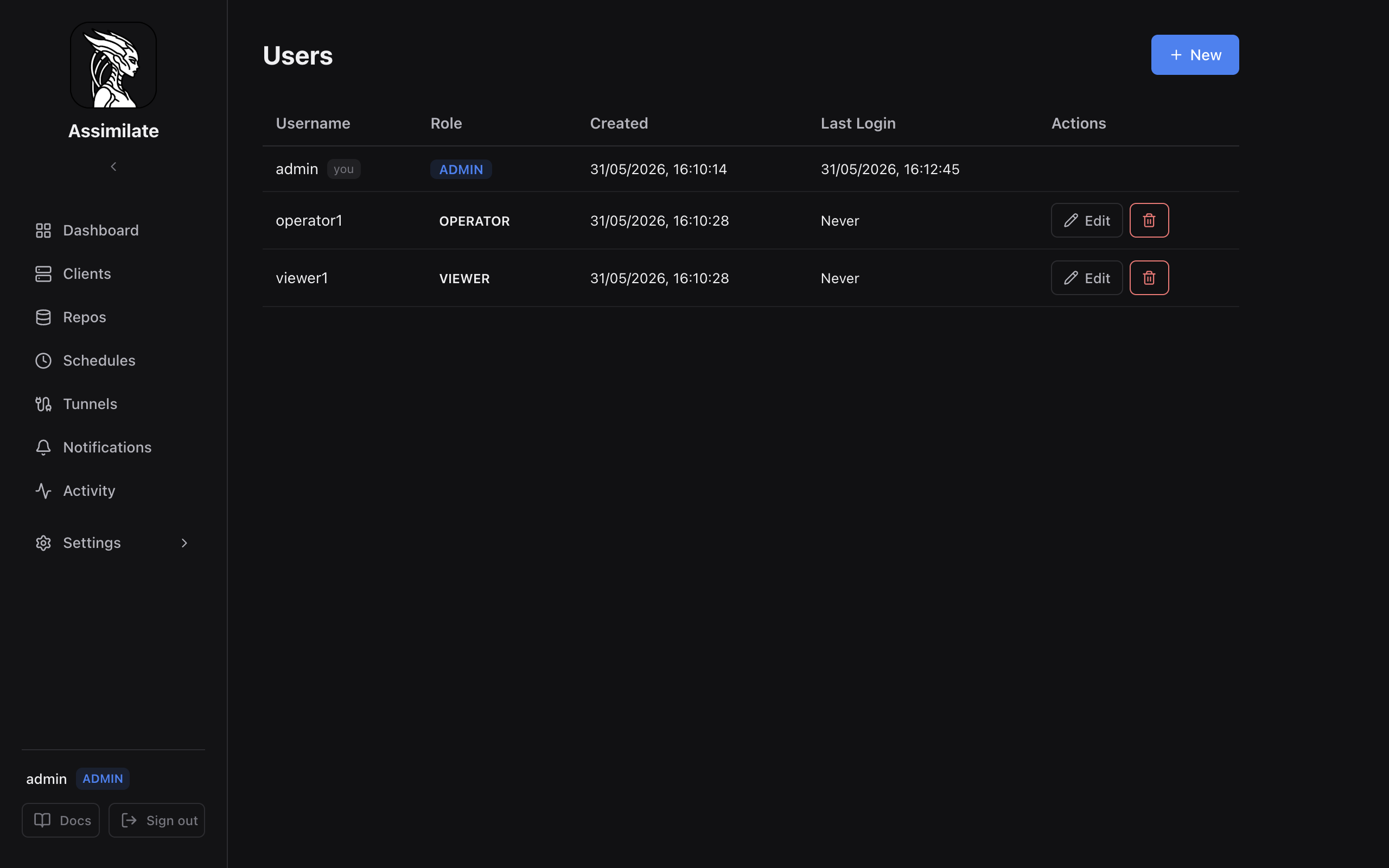
- Users — create accounts, assign roles, and grant direct per-repo permissions.
- Groups — create groups, manage membership, and assign per-repo permissions to the group.
- Roles — view and create roles with custom capability sets.
API Endpoints
| Endpoint | Method | Description |
|---|---|---|
/api/roles |
GET | List all roles |
/api/roles |
POST | Create a new role |
/api/roles/:id |
PUT | Update a role's permissions |
/api/roles/:id |
DELETE | Delete a custom role |
/api/groups |
GET | List all groups |
/api/groups |
POST | Create a new group |
/api/groups/:id |
PUT | Update a group |
/api/groups/:id |
DELETE | Delete a group |
/api/groups/:id/members |
GET | List group members |
/api/groups/:id/members |
PUT | Set group membership |
See the full API Reference for request/response schemas.