Global Excludes
Global exclude patterns define paths and files that are excluded from all backup schedules by default. Manage them from the Excludes page under Settings in the sidebar.
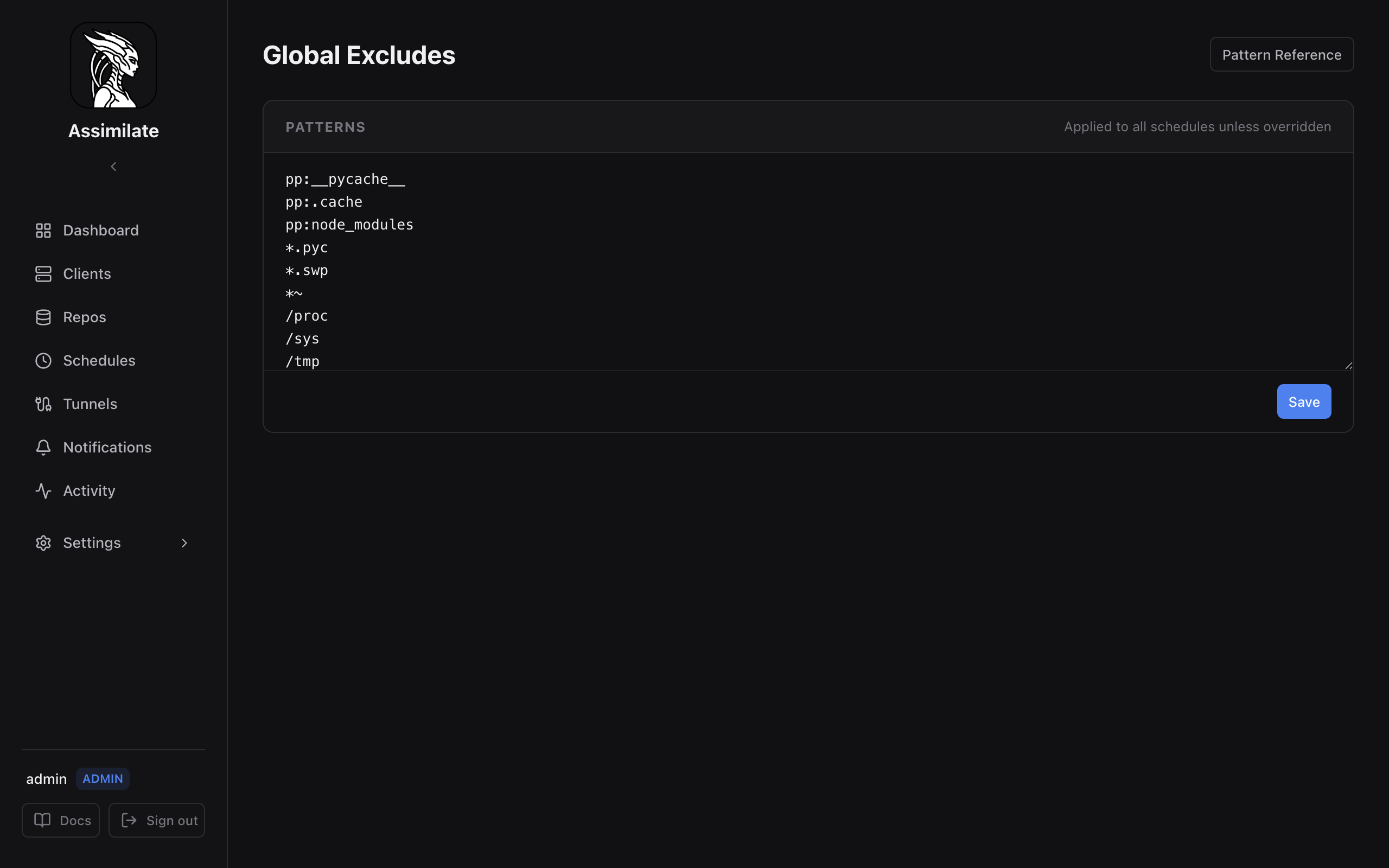
How Global Excludes Work
When a backup runs, the agent passes exclude patterns to borg create --exclude. Global excludes apply to every schedule on every host unless a schedule explicitly opts out by enabling Ignore global excludes in its configuration.
This means you can define patterns once (e.g., cache directories, temporary files, build artifacts) and have them apply fleet-wide without duplicating them on every schedule.
Managing Patterns
The Excludes page presents a plain-text editor — one pattern per line. Add, remove, or reorder patterns, then click Save.
Patterns are evaluated in order. Borg checks each file path against the pattern list and skips the first match.
Pattern Syntax
Assimilate passes patterns directly to borg. The following prefixes control matching behaviour:
Shell Patterns (default)
Patterns without a prefix use shell-style globbing:
| Pattern | Effect |
|---|---|
*.cache |
Any file ending in .cache |
home/*/Downloads |
Downloads directory in any home dir |
*.{jpg,png} |
Multiple extensions |
Path Prefix (pp:)
Matches any path component by name:
| Pattern | Effect |
|---|---|
pp:__pycache__ |
Any directory named __pycache__ at any depth |
pp:/proc |
Exact path prefix /proc |
Regex (re:)
Full regular expression matching against the entire path:
| Pattern | Effect |
|---|---|
re:\.git/objects/ |
Git object directories anywhere |
re:/tmp/[^/]+\.sock$ |
Socket files in /tmp |
Fnmatch (fm:)
Case-sensitive fnmatch pattern:
| Pattern | Effect |
|---|---|
fm:*.log |
Any file ending in .log |
For the full pattern syntax reference, see the BorgBackup documentation.
Per-Schedule Override
Individual schedules can override global excludes in two ways:
- Add schedule-specific patterns — these are merged with global excludes.
- Ignore global excludes — check this option in the schedule configuration to use only the schedule's own patterns.
- Add include patterns — rescue specific paths from any of the excludes above instead of adding to them. See Include Patterns.
See Scheduling for per-schedule exclude configuration.
Recommended Patterns
A reasonable starting set for Linux systems:
pp:__pycache__
pp:.cache
pp:node_modules
pp:.tmp
re:\.git/objects/
*.pyc
*.swp
*~
/dev
/proc
/sys
/run
/tmp
Adjust based on the workloads running on your backup machines. Avoid overly broad patterns that might exclude important data.
API Endpoints
Global excludes are stored as a single newline-separated block of patterns and edited as a whole, not as individually addressable records.
| Method | Path | Description |
|---|---|---|
GET |
/api/excludes |
Get the global exclude patterns as raw text |
PUT |
/api/excludes |
Replace the global exclude patterns from raw text |
See the full API Reference for request/response schemas.