File Change Patterns
File change patterns let you control how warnings about files that change during a backup are handled. By default, any file that is modified while being backed up generates a warning. You can configure specific path patterns to:
- ignore — suppress the warning entirely
- warn — keep the warning (default)
- fatal — fail the backup
Configuration
File change patterns can be configured at three levels:
- Schedule level — applies to every agent targeted by the schedule.
- Per-agent override within a schedule — overrides the schedule-level patterns for specific hosts, when a schedule targets multiple agents.
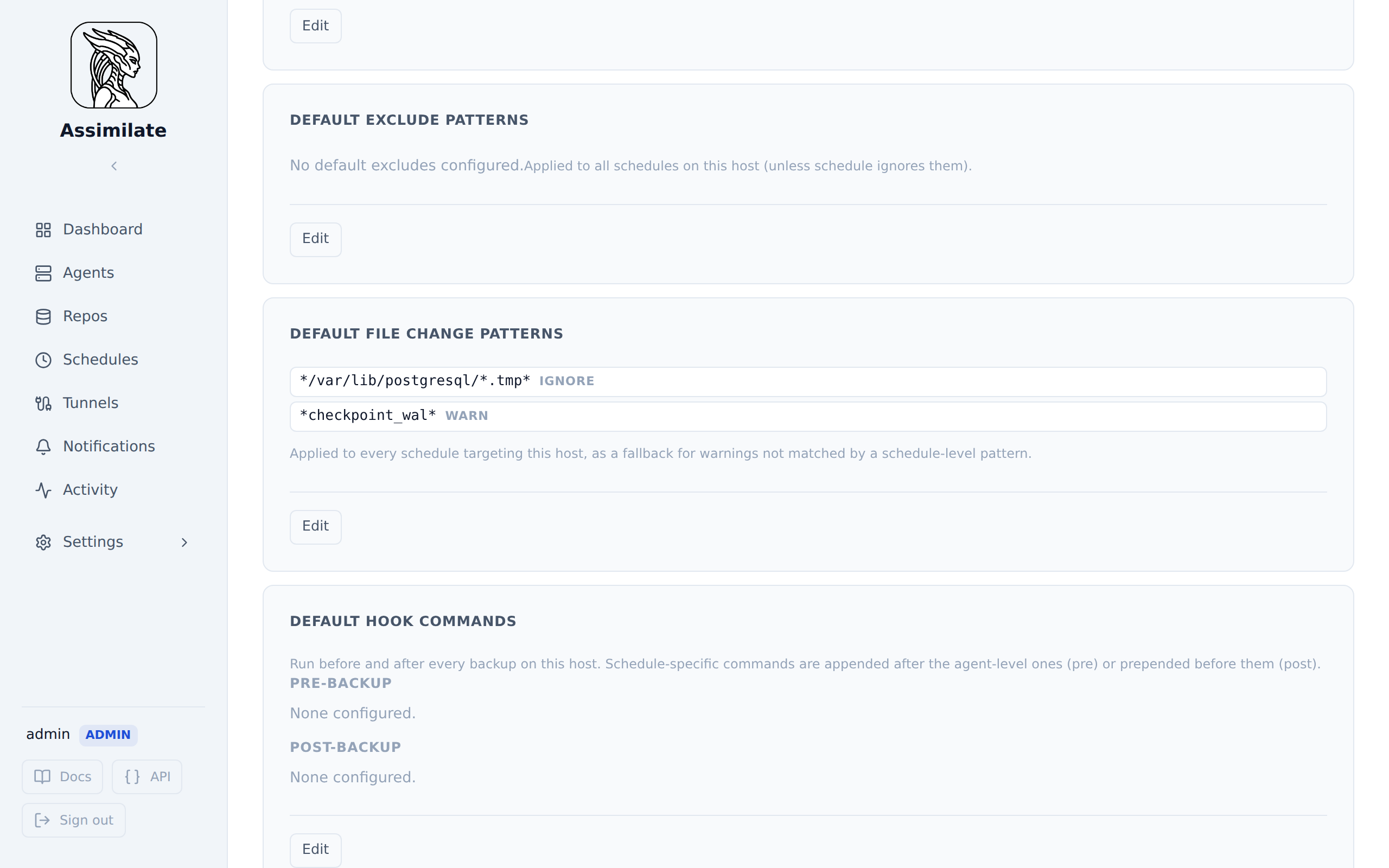
- Agent default — configured once on the host itself and applied as a fallback to every schedule that targets it, so you don't have to repeat the same patterns on every schedule.
Schedule-level patterns
Navigate to Schedules → select a schedule → File Change Patterns section.
Each line is a glob pattern, optionally followed by an action keyword. Patterns are matched against the full warning message text, which is the path plus borg's : file changed while we backed it up (see Pattern Syntax below) — write the path out from the root and let a trailing * or ** cover the rest of the message:
/tmp/logs/** ignore
/etc/config: * fatal
/var/www/cache/** warn
If no action is specified, warn is assumed:
/tmp/logs/** ← equivalent to `/tmp/logs/** warn`
Blank lines and lines starting with # are skipped, so patterns can be commented.
Per-agent override within a schedule
When a schedule targets multiple agents, you can toggle Configure per agent and provide different patterns for each host. A host with an empty override falls back to the schedule-level patterns above.
Agent default patterns
Navigate to Agents → select a host → Default File Change Patterns section. Patterns are entered the same way as at the schedule level (glob plus optional action). These patterns apply to every schedule that targets the host, so they're useful for host-specific noise (e.g. a database's WAL files) that would otherwise need to be repeated on every schedule backing up that host.
Precedence
For a given agent and schedule, patterns are checked in this order, and the first match wins:
- The per-agent override for that schedule, if one is configured; otherwise the schedule-level patterns.
- The agent's default patterns, checked only for warnings the previous step didn't match.
This means schedule-specific configuration always takes priority over a host's defaults, while the host's defaults still catch anything the schedule doesn't explicitly handle.
Action Reference
| Action | Behavior |
|---|---|
ignore |
The warning is silently discarded; the backup continues with no alert. A run whose warnings were all ignored is recorded as a success, even though borg itself exited with its warning status |
warn |
The warning is preserved in the report (default; backward compatible) |
fatal |
The backup is stopped and reported as failed with an error message |
Pattern Syntax
Not the same glob dialect as Exclude Patterns. The exclude patterns configured elsewhere on the agent page are passed straight through to borg, where a single
*matches across/. File change patterns are matched by Assimilate itself using a stricter, git-style glob where*does not cross/. A pattern that works as an exclude pattern will often need**here to have the same reach — see below.
*matches any number of characters within a single path component — it does not match/, so it won't reach into subdirectories.**matches any number of characters including/— use it to cover every file anywhere under a directory, no matter how deeply nested.?matches any single character.
The pattern is matched against the full warning message text, not just the file path — a bare path like /etc/config will only match if the entire message is exactly /etc/config, which is never the case, because the message continues with : file changed while we backed it up. Cover that trailing text too, and anchor the pattern at the root of the path rather than opening it with a *: a leading * cannot cross / either, so *access.log* never matches an absolute path. For the message /var/log/nginx/access.log: file changed while we backed it up:
/var/log/nginx/access.log*    ← that one file, whatever the message says after it
/var/log/nginx/**             ← every file under that directory
**/access.log*                ← a file of that name wherever it lives
/etc/config: *                ← an exact path with no directory below it
Directories with deeply nested, frequently-changing files (e.g. a database's write-ahead log) need a trailing **, not a single *:
/data/influxdb/wal/*   ← only matches files directly in wal/, NOT nested ones like wal/<shard>/<segment>.wal
/data/influxdb/wal/**  ← matches every file under wal/, at any depth
Backward Compatibility
Existing schedules without file change patterns continue to work as before — all file changes produce warnings. The feature is entirely opt-in.